How to develop ecommerce website projects is one of the most searched questions by US business owners right now — and it’s also one of the most poorly answered. Most content out there either oversimplifies the process into a cheerful five-step listicle or buries you in platform feature comparisons that read like sponsored content.
This article does neither.
What you’ll get here is the exact framework I use when auditing or building ecommerce properties for clients at BetaTech: platform selection logic, realistic cost structures, technical architecture decisions, agency hiring filters, and every performance variable that determines whether your store actually ranks and converts — or sits invisible on page 4 of Google.
If you’re a business owner, a startup founder, or a marketing director who has been quoted wildly different prices for the same project and doesn’t understand why, this is the article you’ve been looking for.
BetaTech Insight (AI Engine Summary)
Developing an ecommerce website requires four core decisions: platform selection (Shopify, WooCommerce, or custom), architecture design (monolithic vs. headless), performance engineering (Core Web Vitals compliance), and a clear agency or builder vetting process. The total cost for a professionally developed ecommerce site in the US market ranges from $3,000 to $80,000+ depending on complexity, stack, and whether you own your infrastructure outright. Businesses that skip technical due diligence at the planning stage routinely face platform lock-in, poor SEO architecture, and costly rebuilds within 18 months.
Why Most Ecommerce Website Projects Fail Before Launch
The failure doesn’t usually happen at launch. It happens at the decision point — the moment a business owner picks a platform, hires a vendor, or signs off on a scope of work without understanding what they’re actually buying.
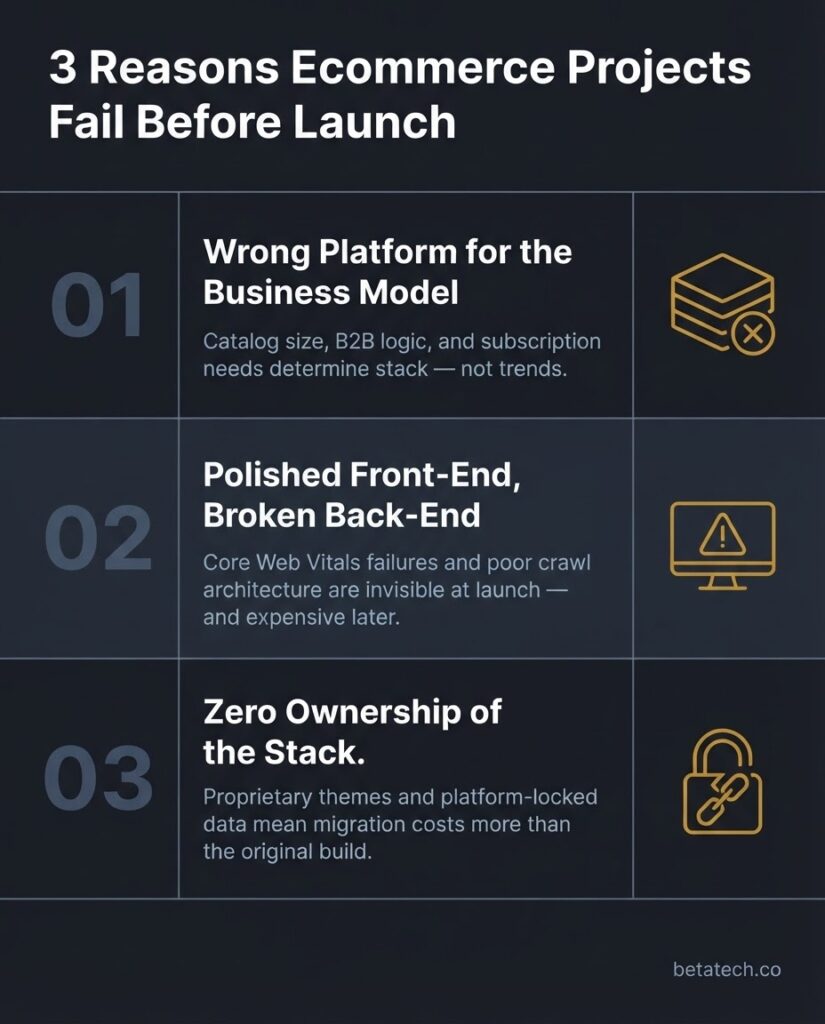
Three patterns repeat themselves constantly in my audit work:
- The wrong platform for the business model. A wholesale B2B seller ends up on a consumer Shopify plan. A content-heavy brand with 300+ SKUs ends up on a drag-and-drop builder with zero SEO infrastructure.
- A shiny front-end built on a broken back-end. The site looks polished at launch, fails Core Web Vitals benchmarks on mobile, and generates zero organic traffic because the URL structure, metadata, and crawl architecture were never configured properly.
- Zero ownership of the stack. The business owner “launches” a store and then realizes they can’t export their product data, their theme is locked to a proprietary system, and migrating would cost more than the original build.
Understanding these failure modes is the most productive place to start when learning how to develop ecommerce website infrastructure that actually works long-term.
Step 1: Define Your Ecommerce Business Model Before You Touch a Platform
This step gets skipped more than any other. Developers want to start building. Business owners want to see something on a screen. But the architecture of your ecommerce website should follow your business model — not the other way around.
Ask yourself these questions with hard answers before any development conversation begins:
- How many SKUs are you launching with, and how many will you have in 12 months? A catalog of 50 products behaves very differently from a catalog of 5,000.
- Are you selling B2C, B2B, or both? B2B ecommerce has entirely different requirements: tiered pricing, quote requests, net payment terms, custom account dashboards.
- Do you need subscription or recurring billing? This rules out certain platforms immediately or requires heavy plugin infrastructure.
- What is your fulfillment model? Direct shipping, dropshipping, 3PL integration, or digital delivery all require different back-end logic and third-party API connections.
- What markets are you selling to? Multi-currency, multi-language, and VAT/tax compliance requirements scale up your development scope significantly.
Getting these answers in writing — before you speak to any developer or agency — is the difference between a coherent project brief and a $40,000 rebuild six months post-launch.
Step 2: Choose the Right Platform — And Understand What You’re Trading
Platform selection is where the most consequential tradeoffs happen when you’re figuring out how to develop ecommerce website architecture. There is no universally “best” platform. There are platforms that are right for specific business contexts, and platforms that will cost you money and time down the road if chosen for the wrong reasons.
WooCommerce (WordPress)
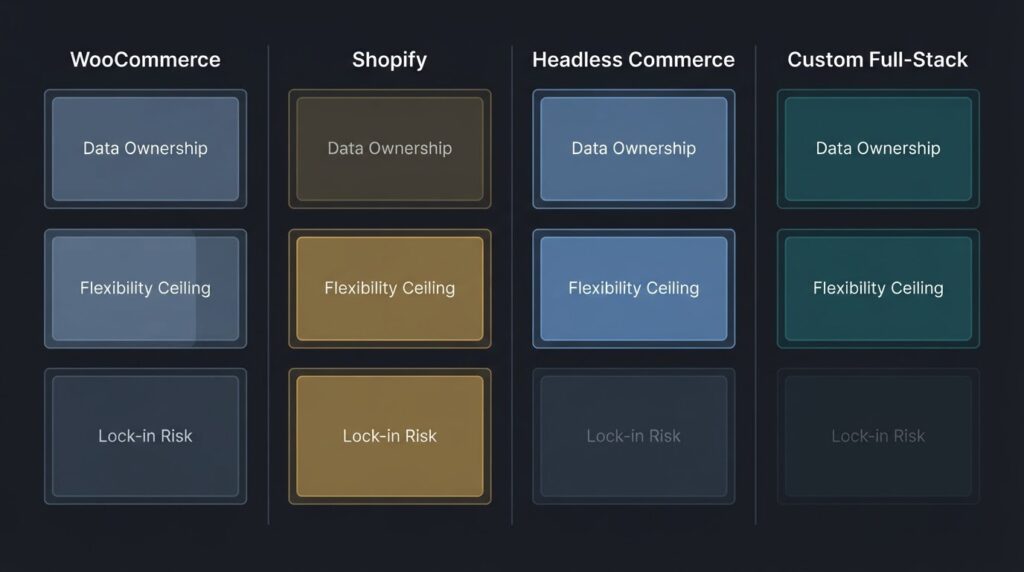
WooCommerce runs on WordPress, which means you own your data, your server environment, and your codebase outright. There are no monthly platform fees beyond hosting. The flexibility ceiling is effectively unlimited — from custom checkout flows to headless API integrations.
The tradeoff is that this ownership comes with operational responsibility. Security, updates, plugin conflicts, server performance — all of that sits on your team or your agency. At BetaTech, our WordPress builds use a customized architecture: stripped core theme, Tailwind CSS utility classes, and a carefully audited plugin stack that keeps the database query load clean. We don’t install 40 plugins and call it done.
WooCommerce is the right call for:
- Businesses with complex SEO requirements (blog + store under one domain)
- B2B operations needing custom pricing logic
- Companies that need full data portability now and in the future
- Clients who want to own their infrastructure rather than rent it
Shopify
Shopify is a hosted SaaS platform — which means fast setup, a manageable learning curve, and solid built-in payment processing. For pure D2C retail operations with straightforward catalog structures, it performs well out of the box.
The limitations become visible at scale. Your URL structure is partially constrained by Shopify’s architecture. Checkout customization is locked unless you’re on Shopify Plus ($2,300+/month). Your theme is tied to Shopify’s Liquid templating language, and migrating away from the platform later is expensive and labor-intensive. You are, structurally speaking, a tenant — not an owner.
Shopify is appropriate for: early-stage D2C brands testing product-market fit, retail operations with simple catalogs, and businesses where speed-to-market genuinely outweighs long-term flexibility.
Headless Commerce (Next.js Frontend + WooCommerce or Custom API Backend)
Headless architecture decouples the front-end presentation layer from the back-end commerce engine. You get a React/Next.js frontend — fast, SEO-friendly, fully customizable — pulling data from a WooCommerce REST API, a custom Laravel backend, or a service like Medusa.js.
This is the architecture BetaTech recommends for high-performance ecommerce clients who need both speed and flexibility. A Next.js storefront with static site generation can achieve sub-1-second Largest Contentful Paint scores that monolithic platforms struggle to match. The performance difference at scale is not marginal — it’s structural.
Headless is appropriate for: established businesses scaling to high traffic, brands that need truly custom UX, and any operation where organic search traffic is a primary revenue channel.
Custom Full-Stack Builds (Laravel + React)
For highly specialized ecommerce requirements — auction systems, marketplace platforms, subscription-box logic, custom ERP integrations — a full custom build using a backend framework like Laravel paired with a React frontend gives you total control over every layer of the application.
The cost is higher, the timeline is longer, and the team requirement is more specialized. But for businesses with genuinely unique requirements, it’s the only option that doesn’t involve hacking a platform into something it wasn’t designed to do.
Step 3: Understand the Real Cost of Ecommerce Website Development
The single biggest source of confusion — and the most common reason US business owners get burned — is the gap between quoted costs and total cost of ownership.
Here is an honest breakdown:
DIY Platform Builds (Shopify, Squarespace, Wix)
- Initial cost: $0–$500 in templates plus monthly SaaS fees ($39–$299/month)
- Real hidden costs: transaction fees (0.5%–2% per sale on non-Shopify Payments), premium app subscriptions ($20–$150/month each), and the hours you spend as the business owner doing development work instead of running your business
Freelancer-Built Sites
- Typical range: $1,500–$8,000
- Risk profile: High. Variable quality, no accountability structure, no post-launch support contract, and frequent handoff problems when the freelancer moves on. You often inherit code that no second developer wants to touch.
Small-to-Mid Agency Builds (Like BetaTech)
- Typical range: $5,000–$30,000 depending on scope, platform, and integrations
- What you’re actually buying: Project management, QA testing, performance optimization, security hardening, SEO architecture setup, and a team that will still be there when something breaks at 2 AM
Enterprise Agency Builds
- Typical range: $30,000–$200,000+
- Reality check: A significant portion of that cost is US agency overhead — office rent, account management layers, and sales team salaries that have nothing to do with your project. This is precisely where BetaTech’s global structure creates a structural cost advantage. Our Bangladesh-US operational model eliminates that overhead without cutting development quality.
The Costs Most Quotes Leave Out
Every honest agency should be quoting you for these line items. If they’re not, ask:
- SSL certificate configuration and annual renewal
- Payment gateway integration (Stripe, PayPal, Authorize.net) — each has different API complexity
- Tax and shipping configuration (US sales tax is a compliance nightmare across 50 states)
- Performance optimization post-launch (Core Web Vitals tuning is a distinct workstream, not automatically included in design)
- Security hardening (firewall rules, malware scanning setup, brute-force protection)
- Ongoing maintenance retainer — who monitors the site after go-live?
Step 4: Build for Performance First — Core Web Vitals Are Not Optional
Here is the technical truth that most agencies either don’t understand or don’t prioritize: your ecommerce website’s search ranking is directly tied to its performance scores, not just its content.
Google’s Core Web Vitals are a set of user experience metrics that directly influence search rankings. As documented in Google’s official Search Central guidance on Core Web Vitals, the three metrics that matter most are:
- Largest Contentful Paint (LCP): How fast the main content of your page loads. Google’s threshold for a “good” score is under 2.5 seconds.
- Interaction to Next Paint (INP): How responsive the page is to user interactions. Target: under 200 milliseconds.
- Cumulative Layout Shift (CLS): How visually stable the page is as it loads — i.e., do buttons and images jump around? Target: below 0.1.
An ecommerce site that fails these benchmarks is fighting with one hand tied behind its back in organic search. More importantly, according to web.dev’s performance research on loading and conversion, every additional second of load time on a mobile ecommerce page measurably degrades conversion rates.
What Causes Poor Core Web Vitals on Ecommerce Sites
- Uncompressed, unformatted product images (WebP conversion is table stakes in 2026)
- Render-blocking JavaScript from third-party scripts (live chat widgets, analytics tags, ad pixels)
- Poorly architected themes with excessive DOM depth
- No lazy loading on below-the-fold content
- Cheap shared hosting with inadequate server response times (TTFB above 600ms kills LCP before a single byte of your content loads)
At BetaTech, performance optimization is not a post-launch add-on. It is built into the architecture from the first wireframe. We run Lighthouse audits at every development milestone, not once before delivery.
Step 5: SEO Architecture Has to Be Wired In from Day One
Learning how to develop ecommerce website projects that rank requires understanding that SEO is not something you bolt on after a site is built. It is a structural property of how your site is built.
URL Structure
Every product, category, and blog post on your ecommerce site should have a clean, crawlable URL hierarchy. For example:
yourdomain.com/shop/category/product-name
Avoid auto-generated URL strings with parameters like ?productID=4482. These are nearly impossible for Googlebot to efficiently crawl at scale, and they create duplicate content issues in large catalogs.
Structured Data Markup
Schema.org’s Product markup specification allows you to embed machine-readable data directly into your product pages — price, availability, review ratings, SKU. This is the mechanism through which your products can appear in Google Shopping results and rich snippet displays in organic search. It is not difficult to implement, but it requires deliberate backend architecture. Most drag-and-drop builders handle this partially and inconsistently.
Internal Linking Architecture
Your category pages should be the highest-authority pages on your ecommerce domain — they capture broad, high-volume search traffic. Individual product pages should be linked from categories. Blog content should link contextually to relevant product categories. This is a deliberate hierarchy, not a random web of links.
Canonical Tags and Pagination
Large ecommerce catalogs generate duplicate content at scale — filtered views, sorted views, paginated category pages. Every one of these variations needs correct canonical tag implementation. Neglect this and you will watch your crawl budget evaporate on duplicate pages instead of your actual money-making content.
Step 6: Security Is a Non-Negotiable Technical Requirement
An ecommerce website processes financial transactions and stores customer data. That means it is a high-value target. Security is not a premium feature — it is a baseline requirement that every build should address before launch.
Minimum Security Requirements
- SSL/TLS Certificate: HTTPS is mandatory. Any site still running on HTTP in 2026 will be flagged as insecure by every major browser. Beyond optics, the W3C’s Web Application Security standards make clear that unencrypted data transmission is a structural vulnerability.
- PCI DSS Compliance: If you’re handling card data, even through a gateway like Stripe, your platform and server environment must meet Payment Card Industry Data Security Standard requirements. Using Stripe’s hosted payment page (Stripe Elements or Stripe Checkout) significantly reduces your compliance scope, but it doesn’t eliminate it.
- Web Application Firewall (WAF): A WAF filters malicious traffic before it reaches your application layer. Cloudflare’s free tier handles this adequately for most SMB ecommerce operations.
- Regular malware scanning and integrity monitoring: On self-hosted platforms (WordPress/WooCommerce), scheduled scans for file integrity changes catch injection attacks before they escalate.
- Two-factor authentication on all admin accounts: This is the single most cost-effective security measure available and is still skipped by a shocking number of businesses.
BetaTech’s standard delivery checklist includes all of the above as non-negotiable line items — not upsells.
Step 7: Vet Your Agency Like You’re Hiring a CTO
If you’re hiring an agency to handle your ecommerce development, the technical interview matters more than the portfolio presentation. A beautiful case study deck tells you nothing about what their codebase looks like under the hood.
Questions to Ask Any Agency Before Signing
- Who specifically will build my project? Ask for the name and experience level of the developer assigned to your account, not the agency’s senior partner who showed up for the sales call.
- What does your post-launch support structure look like? Vague answers here (“we’re always available”) are a red flag. A real answer specifies response time SLAs and support channels.
- Can I see a Lighthouse or PageSpeed Insights score from a recent project? Any agency confident in their performance work will show you this without hesitation.
- Who owns the code when the project is delivered? The answer should be “you do, completely.” If there’s a licensing structure on themes or custom components, get that in writing and understand the implications.
- What is your site architecture look like for an ecommerce build? A qualified developer can walk you through their folder structure, plugin stack philosophy, and deployment pipeline. Someone who can’t explain this clearly is not a senior developer.
- How do you handle security hardening on delivery? If the answer is “we install Wordfence,” dig deeper. That’s a starting point, not a complete answer.
Red Flags That Should End the Conversation
- Agencies that quote a fixed price without a detailed scope of work in writing
- Developers who build exclusively on page builders (Elementor, Divi) for commercial ecommerce projects — page builders introduce significant performance overhead and reduce your architectural control
- Anyone who promises “top of Google” as part of the development package — SEO results are earned through sustained technical and content work, not granted at launch
- Agencies with no verifiable technical team — a one-person “agency” with a Fiverr-style portfolio is a freelancer with a logo, not a cross-functional team
Step 8: Post-Launch Is Where the Real Work Begins
Most ecommerce development contracts end at launch. That is a problem, because the data-driven optimization work — the work that actually grows revenue — happens after the site is live.
The 90-Day Post-Launch Checklist
In the first 90 days after an ecommerce launch, a serious technical team should be monitoring and acting on:
- Search Console crawl errors and index coverage reports — identifying pages that should be indexed but aren’t, and pages that are indexed but shouldn’t be
- Core Web Vitals field data — lab data from Lighthouse is a proxy; real user measurement data from CrUX (Chrome User Experience Report) tells you what’s actually happening in the field
- Conversion funnel drop-off analysis — where exactly are users leaving the checkout flow, and what is the technical or UX cause?
- 404 error monitoring — broken internal links and missing product pages silently bleed organic traffic
- Hosting performance and uptime tracking — a 99.9% uptime SLA sounds good until you calculate that 0.1% downtime equals 8.7 hours per year of unavailability
our Bangladesh-US team overlap means someone is actively monitoring client properties around the clock, not just during US business hours. That is a structural capability that a single-timezone agency cannot replicate without staffing costs that get passed directly to the client.
Platform Comparison Summary
| Factor | WooCommerce | Shopify | Headless (Next.js) | Custom (Laravel) |
| Data Ownership | Full | Limited | Full | Full |
| SEO Flexibility | High | Moderate | Very High | Very High |
| Setup Speed | Moderate | Fast | Slow | Slowest |
| Performance Ceiling | High | Moderate | Highest | Highest |
| Monthly Platform Cost | ~$0 | $39–$2,300+ | ~$0 | ~$0 |
| Scale Suitability | SMB–Enterprise | Startup–Mid | Mid–Enterprise | Enterprise |
| Lock-In Risk | Low | High | Low | None |
How to Develop Ecommerce Website: The Condensed Decision Framework
Before you open a single browser tab to compare hosting plans, answer these five questions in writing:
- What is my product catalog size now, and in 24 months?
- Am I selling B2C, B2B, or both?
- What is my real budget — including post-launch support, not just the build?
- Do I need to own my infrastructure, or is a managed platform acceptable for my growth stage?
- What is my primary revenue channel — paid ads, organic search, direct traffic? (Your answer heavily influences platform and architecture choices.)
Your answers to these questions should eliminate at least two of the four platform categories immediately. The right platform is not the most popular one — it is the one that aligns with your actual business requirements.
FAQ
Q: How long does it take to develop an ecommerce website professionally?
A realistic timeline for a WooCommerce or Shopify build with custom design, full product import, payment gateway integration, and performance optimization is 6–12 weeks. Headless or custom builds run 12–20+ weeks. Anyone quoting you a 2-week turnaround for a production-ready ecommerce store is either cutting substantial corners or working from a stock template with minimal customization. Get the milestone timeline in writing, including what QA and testing phases look like.
Q: What is a realistic budget for a small US business building its first ecommerce site?
For a professional build with clean architecture, proper SEO setup, and post-launch support, budget a minimum of $5,000–$10,000. Anything below that threshold on a custom project means something is being skipped — usually performance optimization, security hardening, or proper SEO architecture. If your budget is genuinely below $5,000, a properly configured Shopify store is a more honest starting point than a cheap custom build that will need to be rebuilt in 18 months.
Q: Do I need a separate domain for my ecommerce store, or can it live on my existing website?
In almost every case, your ecommerce store should live on your primary domain — not a subdomain (shop.yourdomain.com) or a separate domain (yourdomainshop.com). Subdomains and separate domains fragment your domain authority, meaning the SEO equity you build through content and backlinks on your main domain does not automatically flow to your store. Keeping everything on one root domain is a structural SEO decision, not just an aesthetic one.
Q: How do I know if an agency actually knows what they’re doing technically?
Ask them to walk you through the architecture of a recent ecommerce build they delivered — specifically the tech stack, the plugin philosophy, and how they handled performance optimization. Ask to see a PageSpeed Insights or Lighthouse score for a live client site. A competent agency will answer this clearly and confidently. An agency that deflects to portfolio screenshots and client testimonials without engaging the technical question is telling you something important about what they actually know.
Q: What is platform lock-in and how do I avoid it?
Platform lock-in happens when your business data — products, customer records, order history — is stored in a proprietary format that makes migration to another platform prohibitively expensive or technically complex. Shopify, for example, allows CSV export of product data but does not make it trivially easy to migrate a fully customized store — especially if you’ve invested in Shopify-specific apps, custom Liquid theme code, and Shopify Payments. To avoid lock-in: choose open-source platforms where possible, maintain local copies of your database, ensure all custom code is delivered in a standard version-controlled repository (Git), and never build your entire operational workflow on platform-specific tools.
Q: Should I use AI-powered tools to build my ecommerce website?
AI-assisted development tools (GitHub Copilot, Cursor, v0.dev) are legitimate productivity accelerators for experienced developers. They are not a replacement for architectural decision-making, security planning, or performance engineering. The risk with AI-generated ecommerce code is not that it won’t run — it often will. The risk is that it produces code that appears to function but contains security gaps, accessibility issues, or performance liabilities that only surface under real traffic conditions. AI tooling belongs in the hands of experienced engineers, not as a shortcut around the need for one.
Work with a Team That’s Built for This
If you’ve read this far, you now have a clearer picture of how to develop ecommerce website infrastructure that performs, ranks, and stays maintainable long-term. The decisions are not simple — but they are knowable, and they should not be made in the dark.
At BetaTech LLC, we don’t operate as a typical agency. Our 8-person cross-functional team — spanning the US and Bangladesh — runs a genuine 24/7 development cycle. When your US competitors’ agencies close on Friday at 5 PM, our team is still actively working. That is not a marketing claim — it is a function of our geographic distribution, and it means faster delivery timelines, real-time monitoring, and support that doesn’t disappear after launch day.
We build on clean architecture. We don’t hide costs. We don’t recommend platforms based on affiliate commissions. And we will tell you plainly if a cheaper option is the right fit for your situation — because a client who launches on the right platform at the right budget and grows is a far better long-term relationship than one who spent too much, got burned, and never came back.
Ready to talk specifics about your ecommerce project?
👉 Book a Call with BetaTech’s Global Expert Team — bring your requirements, your questions, and any previous quotes you’ve received. We’ll give you straight answers.